
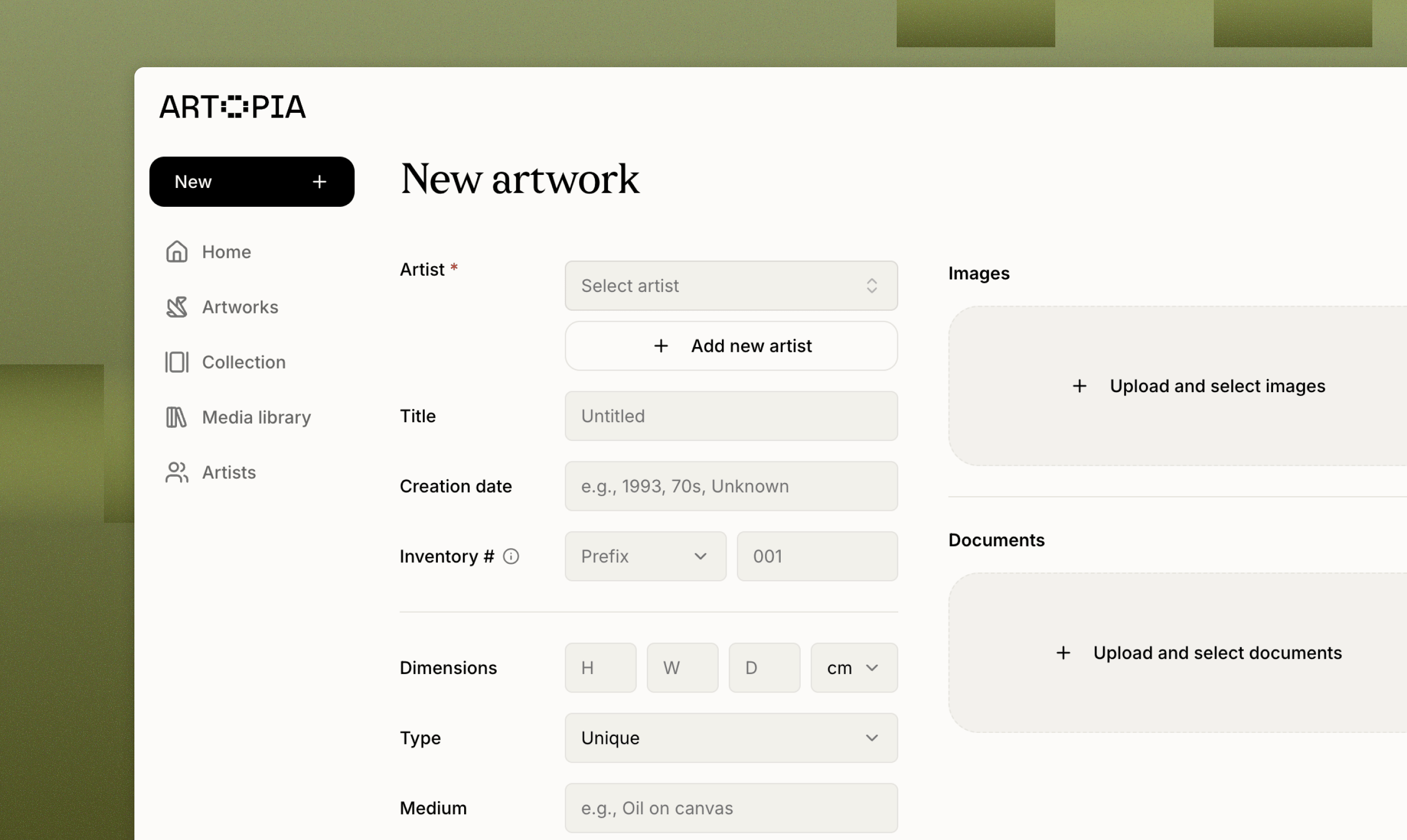
How to add an artwork
There are several ways to open the new artwork form:- Sidebar → New → Artwork (desktop)
- Bottom nav → Artworks → New artwork (mobile)
- Get started checklist → Fill in artwork details
- Create a new artist, Artopia asks if you want to add an artwork for them
Entering artwork info
Only an artist is required to save an artwork. Every other field is optional so you can add works quickly and fill in the details over time. Common fields include title, creation date, dimensions, medium, edition, signature, framing, series, tags, inventory number, location, and status. For the full list of fields and how each one works, see Artwork records.Images and documents
Images
Add images from your media library or upload new ones. You can add multiple images for each artwork.
Documents
Attach certificates of authenticity, invoices, appraisals, condition reports, and other files.
Value history
Track the work’s financial history as a unified log of entries:- Acquisition: How you got the work (purchase, gift, inheritance), with price, date, and source.
- Valuation: Third-party or personal valuations over time, with optional supporting documents.
- Valuation: Insurance replacement value
- Sale: Sale records with buyer, price, and date.
Provenance, exhibitions, and notes
- Provenance: The ownership history of the work. Each entry captures the owner, location, time or period, notes, and any linked documents or images.
- Exhibitions: Where the work has been shown (venue, city, dates, exhibition title).
- Condition report: Log condition entries over time, each with a description, notes, and linked documents or images.
- Public description: Free-form entries that describes the artwork and that can be shared publicly if you decide to create a public collection page.
- Private notes: Free-form entries for correspondence, research, or reminders. Notes stay private to you.
What you can do next
Once an artwork is saved, you can:- Add it to a public collection to share it via a public page.
- Export as PDF (single or bulk) for insurance, dealers, or personal records.
- Transfer the record to another Artopia user, e.g. when selling or gifting.