
September brought two major additions to Artopia: a more flexible way to create PDFs and a compact worksheet for managing artwork inventories. Here is what is new. Sept Product Updates

Create Artwork Catalogues and PDFs

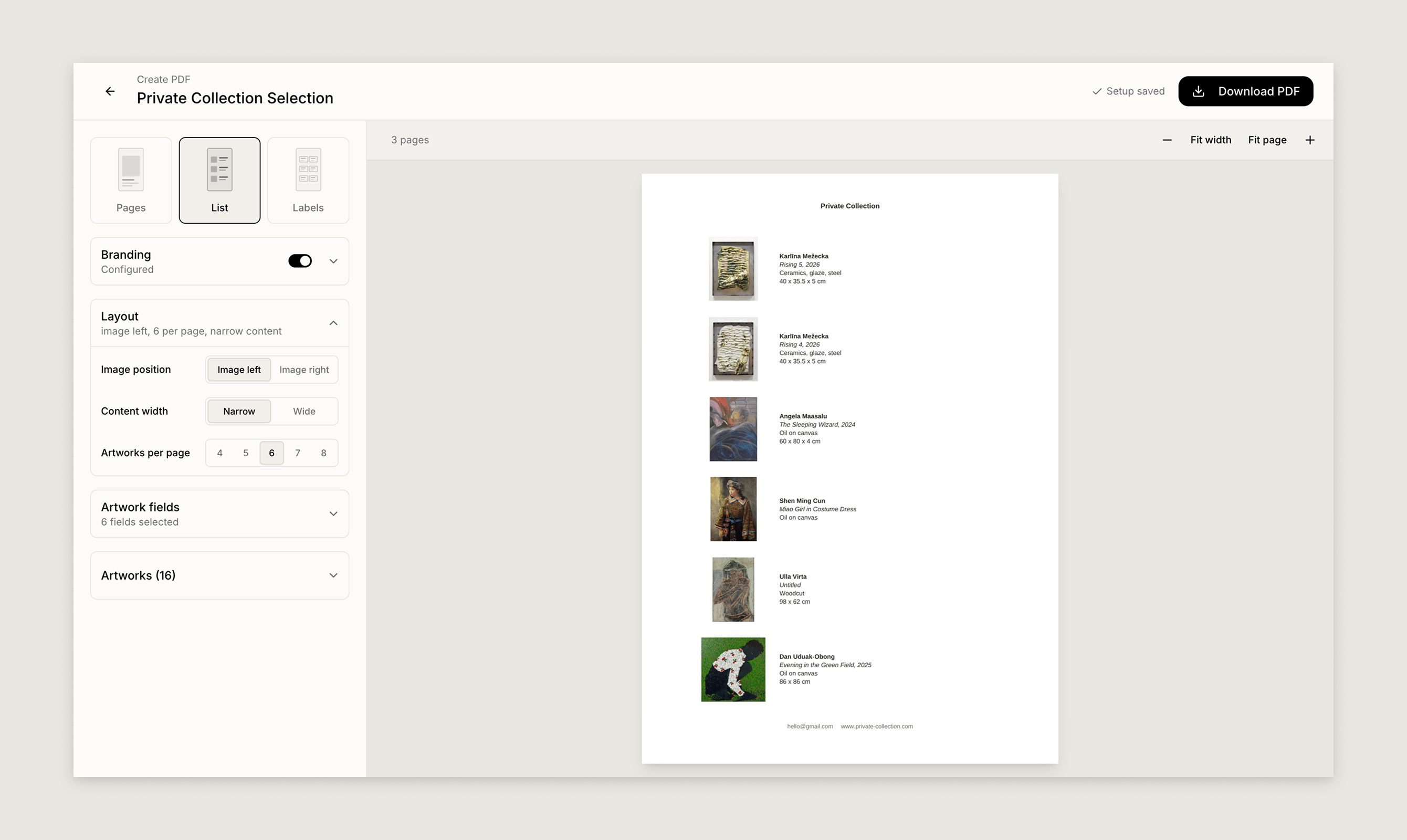
You can now create a PDF from a single artwork, selected artworks, or an artwork Group. Pdf Lists 1 Choose between Pages, List, and Labels, then configure the Branding and Layout to suit the document you are creating. You can also choose which Artwork fields to display:
  • Inventory number
  • Artist
  • Title
  • Creation date
  • Medium
  • Dimensions
  • Edition
  • Status
  • Price for sale
The PDF builder includes a live preview, so you can see how your artwork information will appear before downloading the final PDF. Your setup is saved as you work, making it easy to return and continue editing. This is useful for preparing artwork information for exhibitions, client presentations, sales materials, collection records, and labels. Read more about creating artwork PDFs.

Compact Artwork View

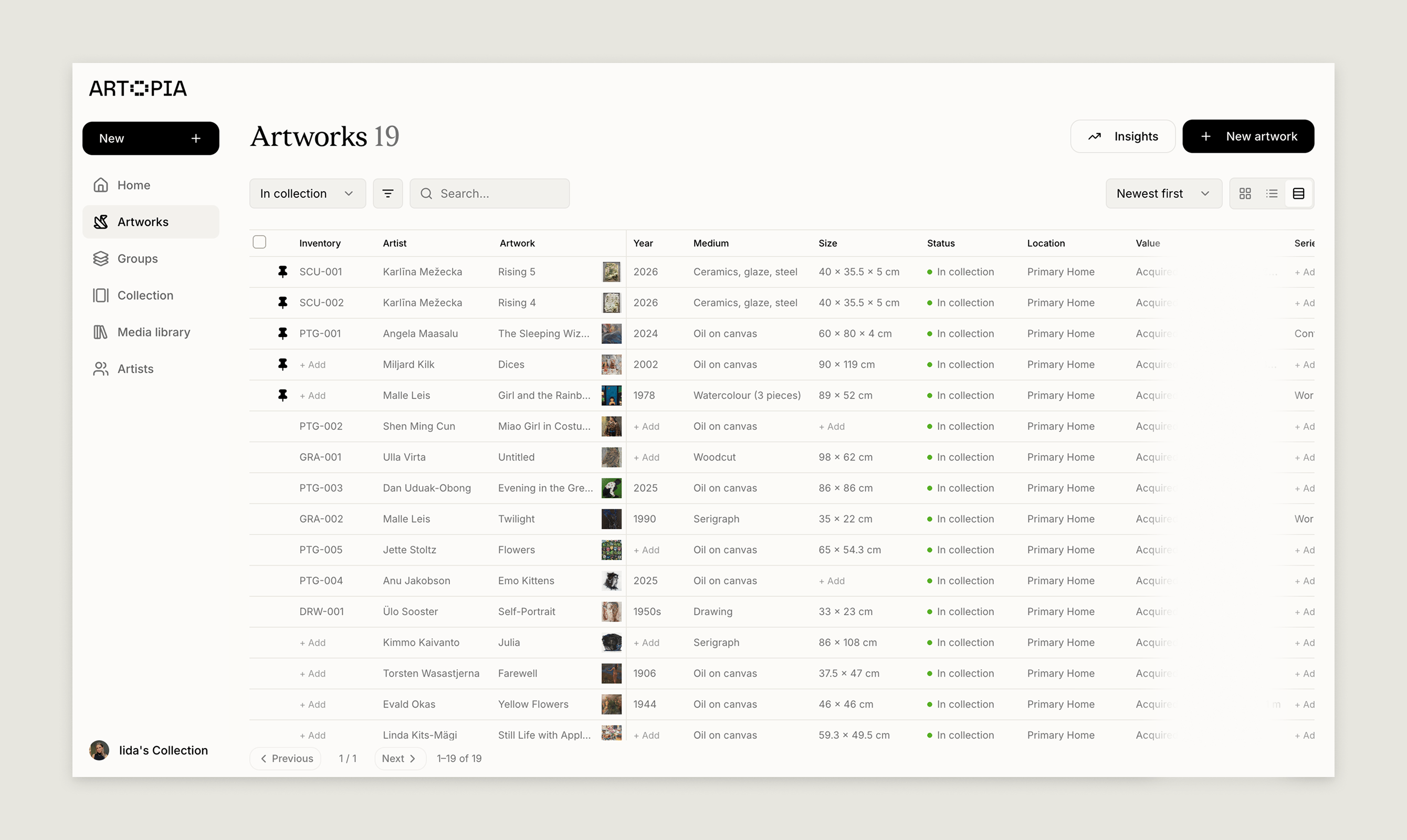
The Artworks section now includes a compact view for working with more of your collection at once. Artwork Compact View The compact grid view lets you review and edit important artwork information directly from one screen. You can update the artist, title, year, medium, size, series, tags, status, and location of the artworks in your collection without opening each work individually. You can also manage artwork images, documents, and value information from the compact view. Select multiple artworks to apply bulk changes, search your collection, and use filters to focus on the works you need to review. The compact view is particularly useful when updating imported information, preparing a collection for an exhibition, or keeping a larger inventory organised. Learn more about managing artworks, filtering your collection, and bulk actions.
Frequently asked questions

Can I create a PDF for selected artworks?

Yes. You can create a PDF from a single artwork, selected artworks, or an artwork Group.

Which artwork fields can I include in a PDF?

You can choose from inventory number, artist, title, creation date, medium, dimensions, edition, status, and price for sale.

What is next

These updates make it easier to turn your collection records into useful documents, review artwork information, and gather the files connected to your collection. You can also read the August product roundup to see what shipped last month. If you have feedback on any of these features, reach us at hello@art-opia.com. Artopia is art collection management software for private collectors, art advisors, galleries, and artists. It helps you catalogue artworks, manage documentation, track values and provenance, and share your collection in one place. Start your art collection.