
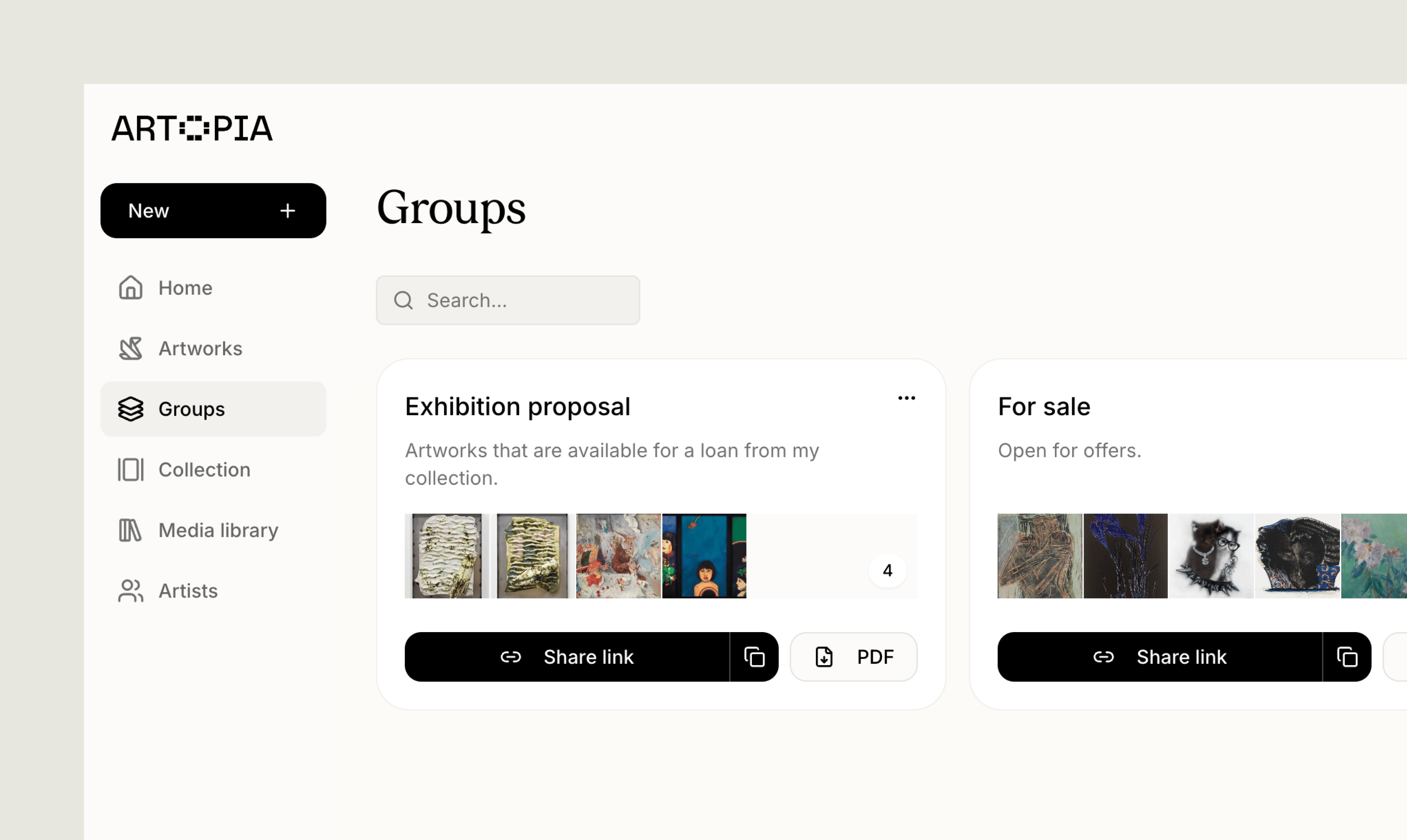
Groups are different from series and tags. A series gives an artwork one lasting place within a body of work, while tags help you label and filter artworks. A group is a flexible selection that you can reorder, share through a private viewing room and export.
Creating a group
- Open Groups from the sidebar.
- Select New group.
- Add a name and, if useful, a description that explains the selection.
- Select Create group.
- Switch to list view and select one or more artworks.
- Open Actions and choose Group.
- Select Create new group.
- Add a name and optional description, then create the group.
Adding artworks
Open a group and select Add artworks. The artwork picker lets you:- Choose between artworks In collection, Archived or All artworks
- Search your collection
- Sort by date added, acquisition date, artist, title or inventory number
- Select works individually or use Select all
- Add several artworks in one step
Arranging and removing artworks
The order on the group page is the presentation order used in its private viewing room and combined PDF. Use the left and right arrow buttons on an artwork to move it through the group. Select the remove button to take it out of the group. Removing an artwork from a group only removes that connection. The artwork and its files remain in your collection.Sharing a group
Every group can be shared as a private viewing room. Visitors see only the artworks in that group, in the order you chose. See Private viewing rooms for how the viewing link works, what visitors can see and how to disable access.Exporting a group
Groups can also be downloaded for work outside Artopia.CSV
Open the group actions menu and select Download CSV. Choose the fields you want to include, then download one spreadsheet containing the artworks in that group.Custom group PDFs currently support up to 40 artworks.
Ways to use groups
Prepare an exhibition or presentation
Prepare an exhibition or presentation
Bring together works from different artists, series or parts of your collection, then arrange them in the order you want to discuss or present them.
Plan a sale proposal
Plan a sale proposal
Keep the works you are considering in one place. Share the visual selection through a viewing room, or create a sale proposal PDF when you need to include pricing and additional details.
Prepare records for a project
Prepare records for a project
Group works connected to a loan, location, insurance update, cataloguing session or other project, then export the exact records you need as CSV or PDF.
Private viewing rooms
Share the selected artworks in a group through a private link.
Series & Tags
Use lasting categories and flexible labels to organise and filter your collection.