
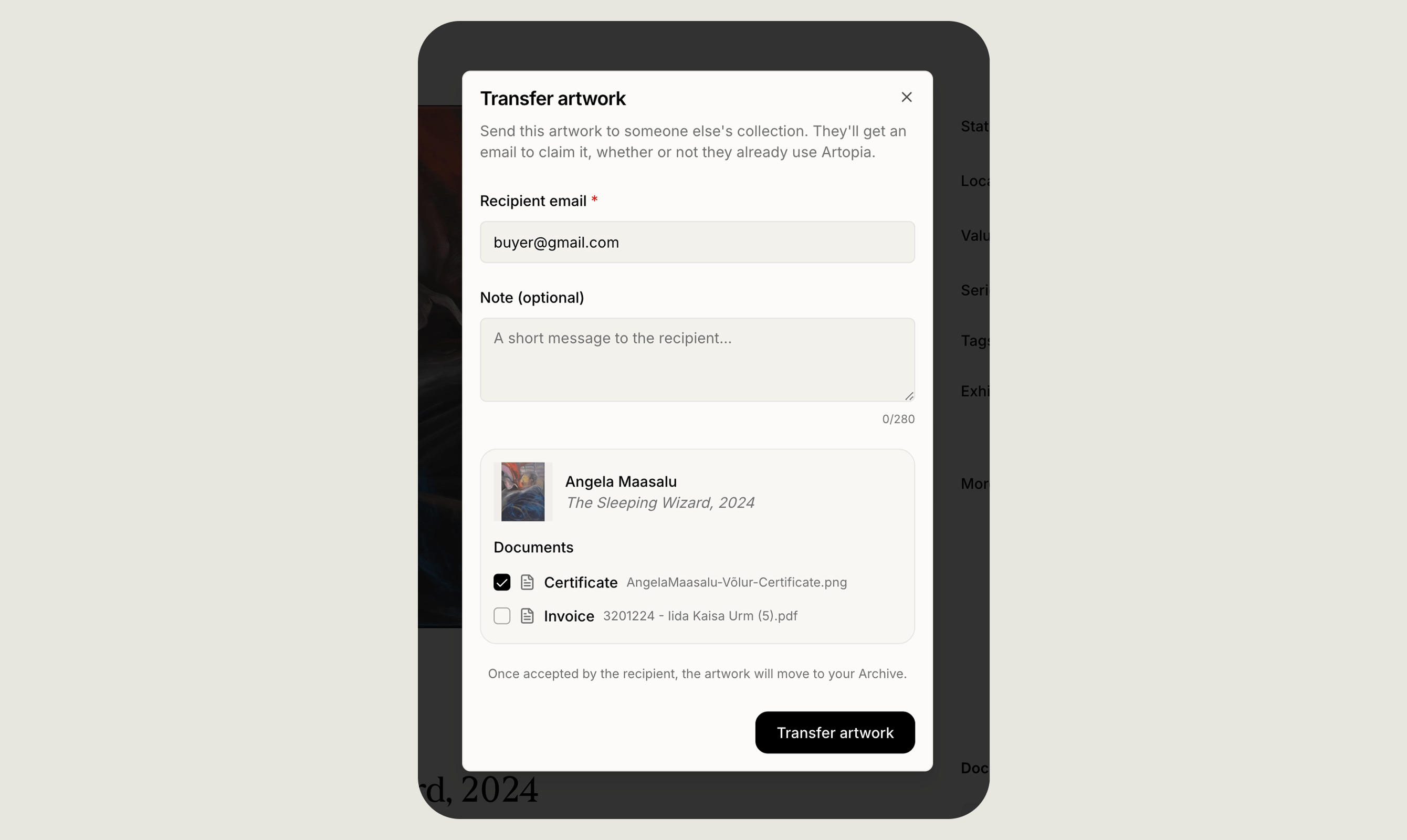
Sending an artwork
1
Open the artwork
From the artwork detail page, choose Transfer artwork.
2
Enter the recipient's email
The recipient doesn’t need an Artopia account yet. The invitation will guide them through creating one.
3
Add an optional note
Up to 280 characters. Useful for context, a message or a reference.
4
Choose which documents to include
Everything attached to the artwork is listed, whether certificates of authenticity, invoices or condition reports, and you decide individually what travels with it.
5
Send
The recipient receives an email with a link to claim the work. Once they accept, your copy moves to your Archive automatically.
Tracking what you have sent
Open Activity and go to Sent to see every transfer you have started. Each entry shows the artwork, the recipient’s email and the date it went out, along with where it has got to:- Transfer sent, the invitation has been delivered and you are waiting on the recipient
- Claimed, they accepted and added the work to their collection
- Declined, they turned it down
- Expired, the invitation was not claimed in time
- Cancelled, you cancelled before they accepted