Search
Use the search bar at the top of the Artworks view to search by title, artist, tags or series. Results update as you type, so you can find a specific work without applying any filters.Filters
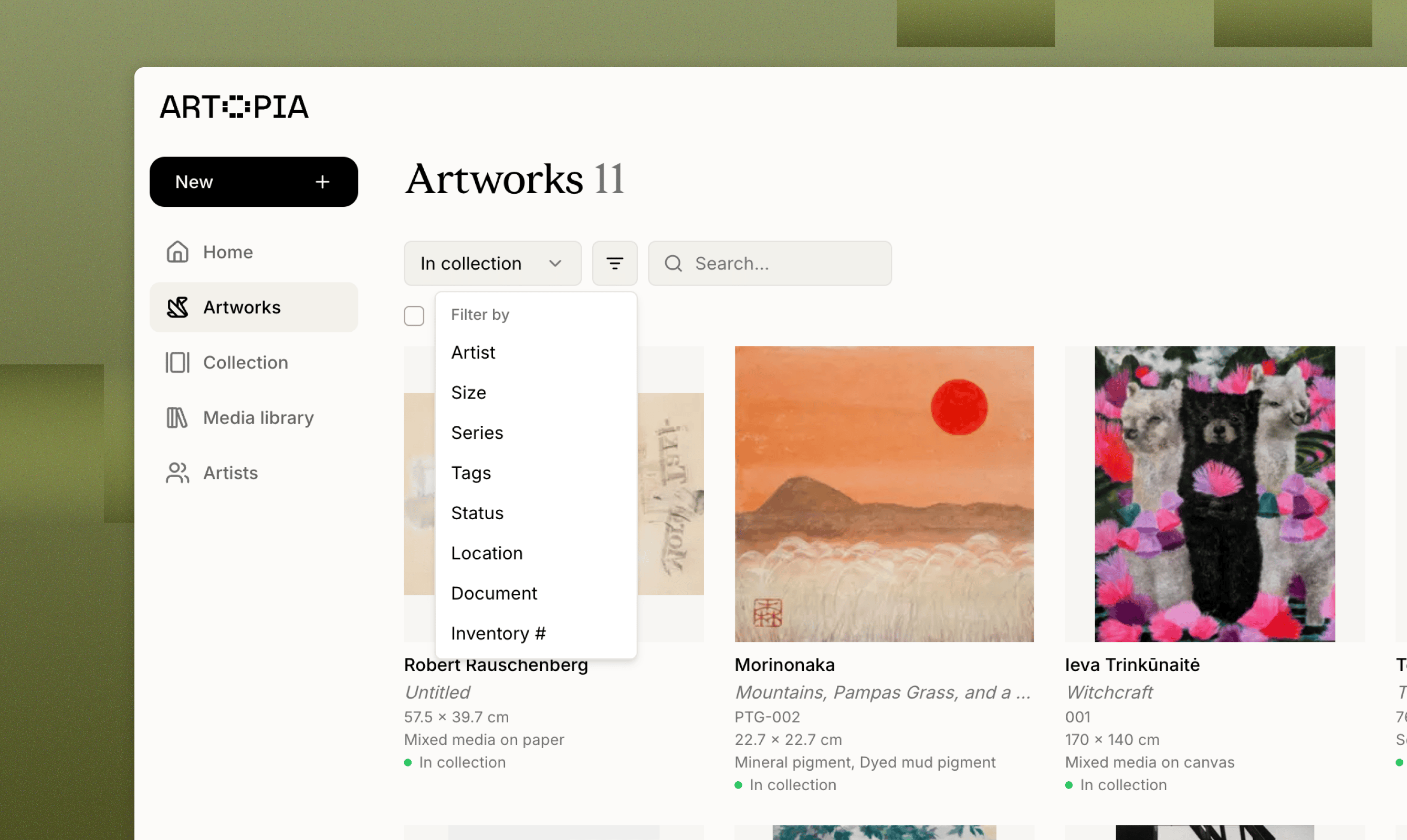
Click the filter icon to open the filter panel. You can filter by:- Artist, any artist in your collection
- Size, small (under 50 cm), medium (50 to 100 cm), large (over 100 cm), or an exact dimension
- Series, any series you have created
- Tags, any tag you have created
- Status, in collection, for sale, reserved, sold, on loan or archived, plus any status you have created yourself
- Location, home, studio, storage, on loan or other, plus any location you have created yourself
Sorting
Click the sort icon next to the filter icon to change the order your artworks appear in. You can sort by newest, oldest, artist, title, inventory number or acquisition date.Grid and list views
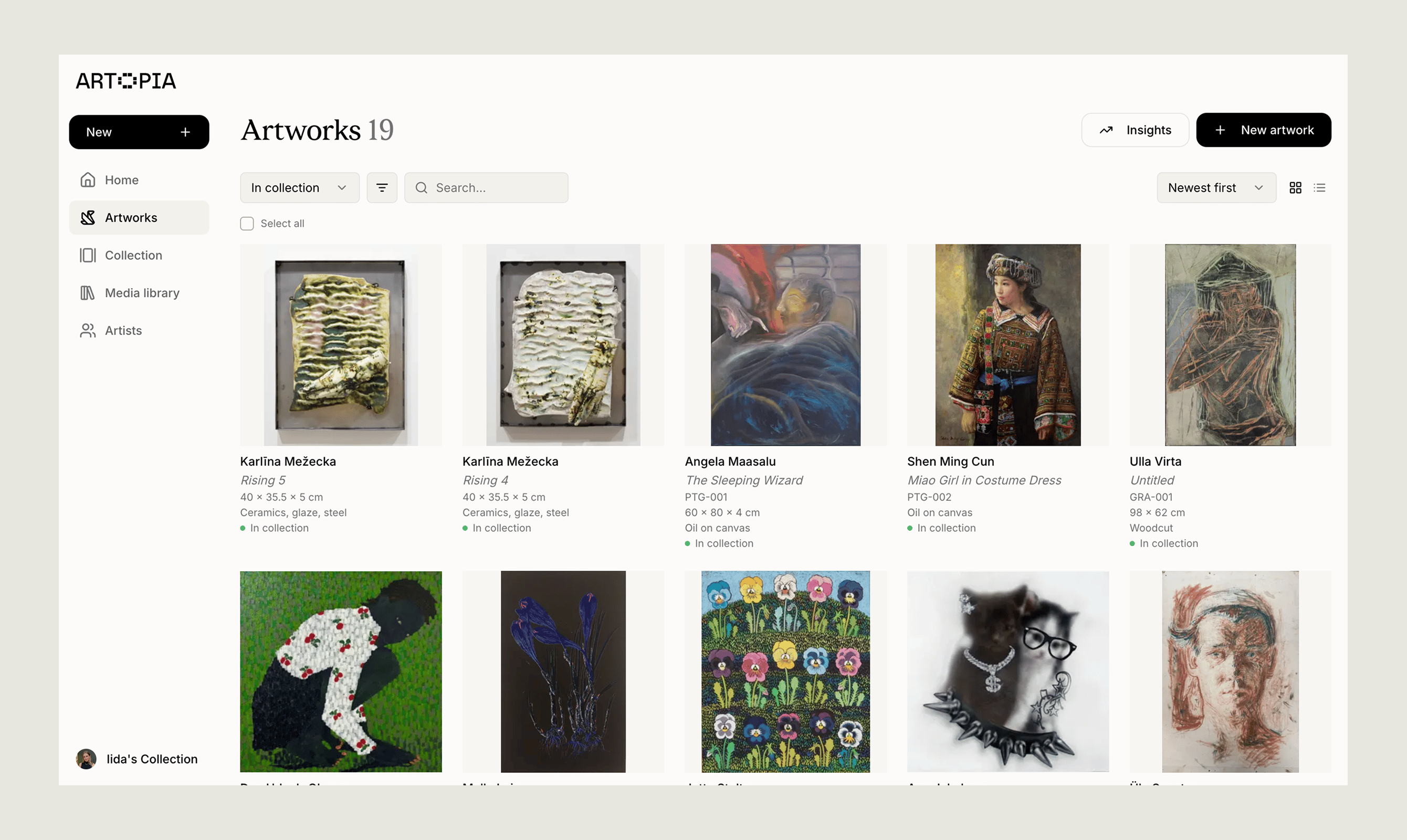
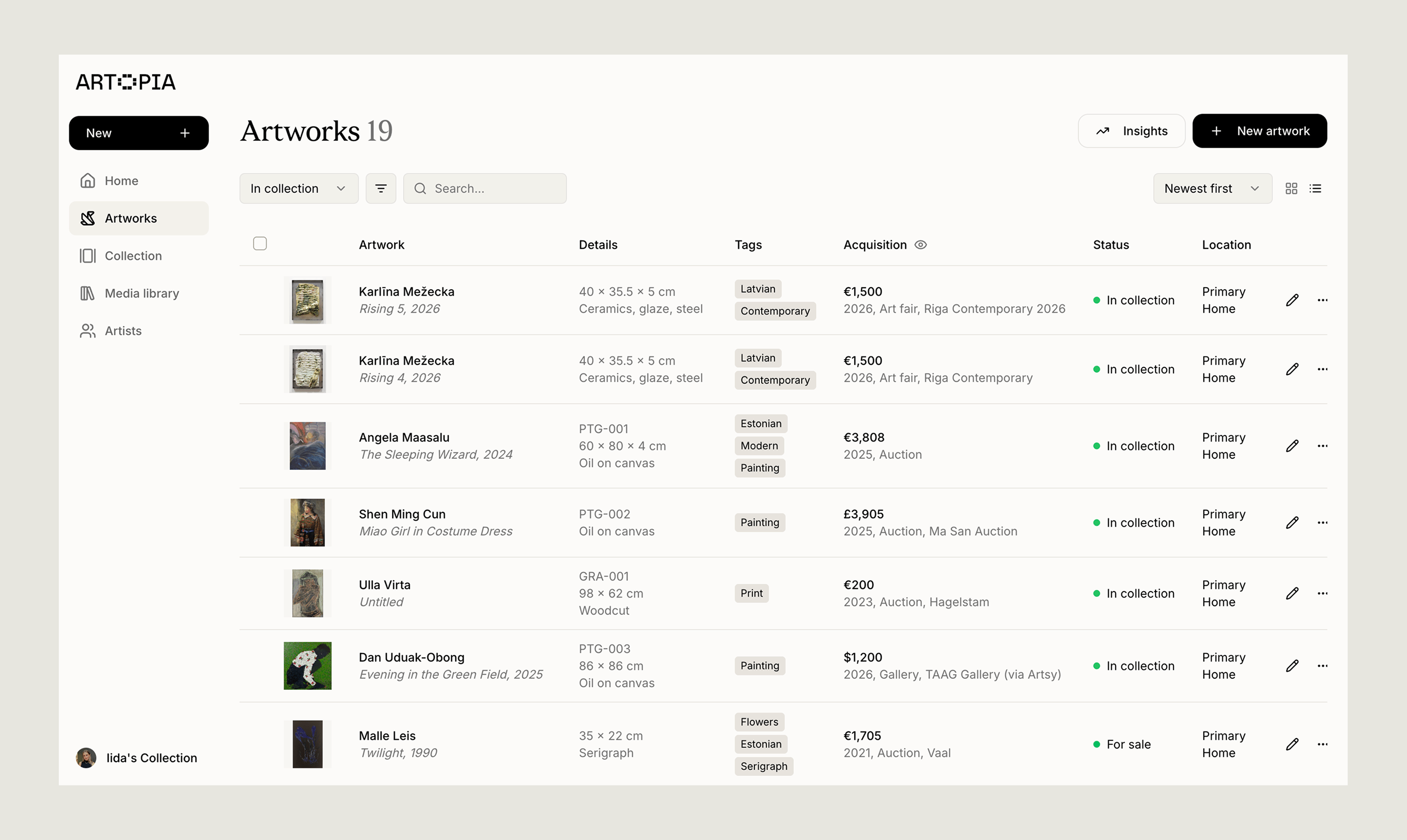
Switch between grid and list view using the icons at the top of the Artworks view. Grid view gives you a visual overview of your works. List view shows more detail at a glance and is the better choice for bulk actions.- Grid view artworks
- List view artworks