
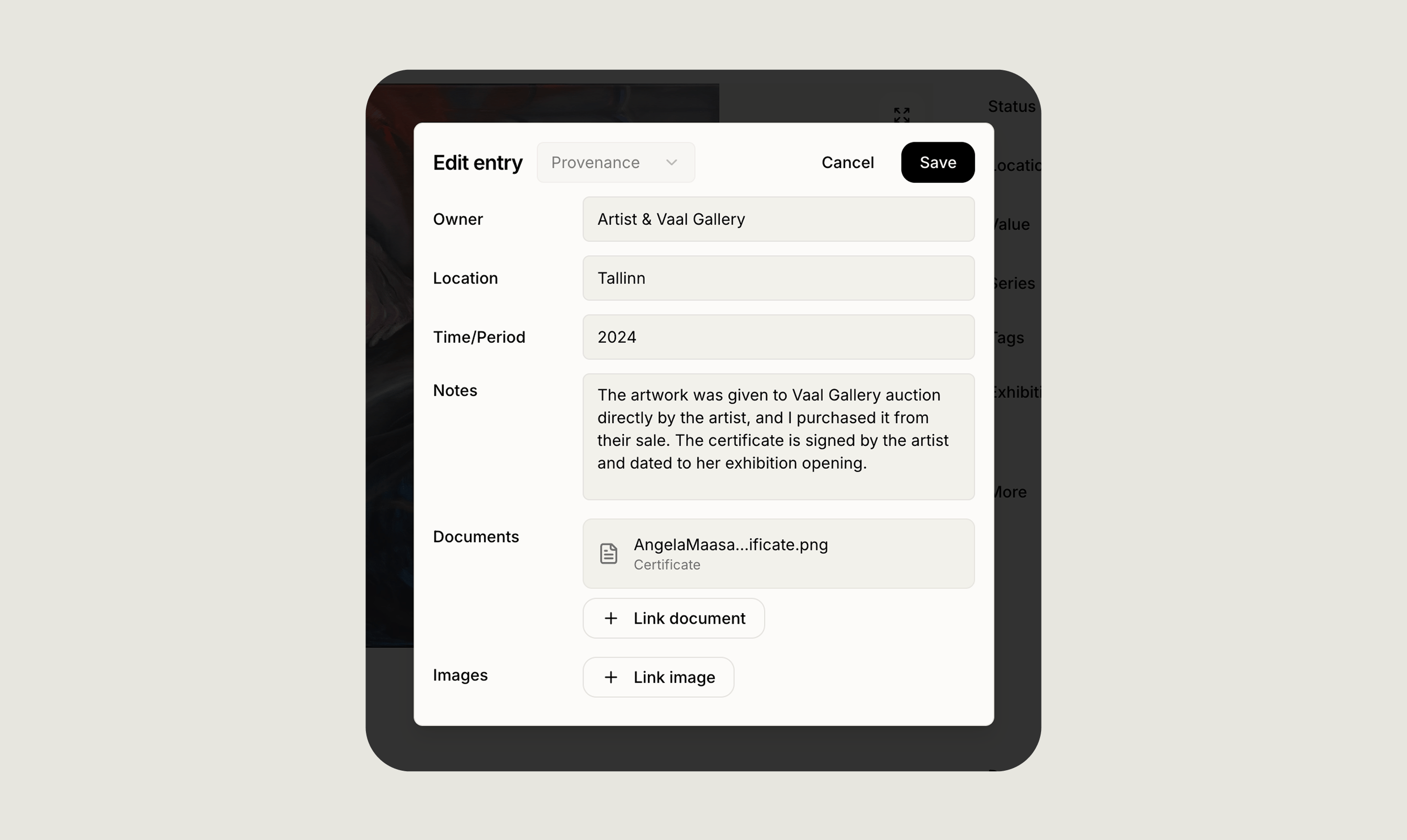
What a provenance entry captures
Each entry in the provenance log is a single moment in the work’s history:- Owner: The individual, gallery, estate, or institution that held the work.
- Location: Where the work was during that period, city, country, or specific venue.
- Time or period: An exact date, a range of years, or a free-form period like “1970s” or “circa 1985”.
- Notes: Any context that matters, how the work was acquired, sale references, catalogue numbers, or research sources.
- Documents: Attach invoices, receipts, letters, or archival paperwork that back up the entry.
- Images: Link photographs, catalogue scans, or installation shots that document the period.
How to add provenance
- Open the artwork record.
- Scroll to the Provenance section.
- Click Add entry and fill in the fields you have.
- Link any supporting documents or images already uploaded to the record.
- Save. Entries appear in chronological order automatically.
Why it matters
- Value: A documented chain of ownership supports the work’s authenticity and market value.
- Insurance: Underwriters and appraisers often ask for provenance when setting cover.
- Resale and transfer: A clear history makes the work easier to sell, gift, or bequeath.
- Research: Provenance is often the starting point for exhibitions, catalogues, and scholarship.
Where provenance appears
- On the artwork detail page as a chronological list.
- In PDF exports, so you can share a clean ownership record with insurers, dealers, or advisors.
- On public collection pages if you choose to include it.
- On transfers when you hand the record to another Artopia user.
Related pages
Artwork records
See every field available on an artwork record, including provenance, exhibitions, and condition reports.
Artwork documents
Upload the invoices, receipts, and archival paperwork you’ll want to attach to provenance entries.