
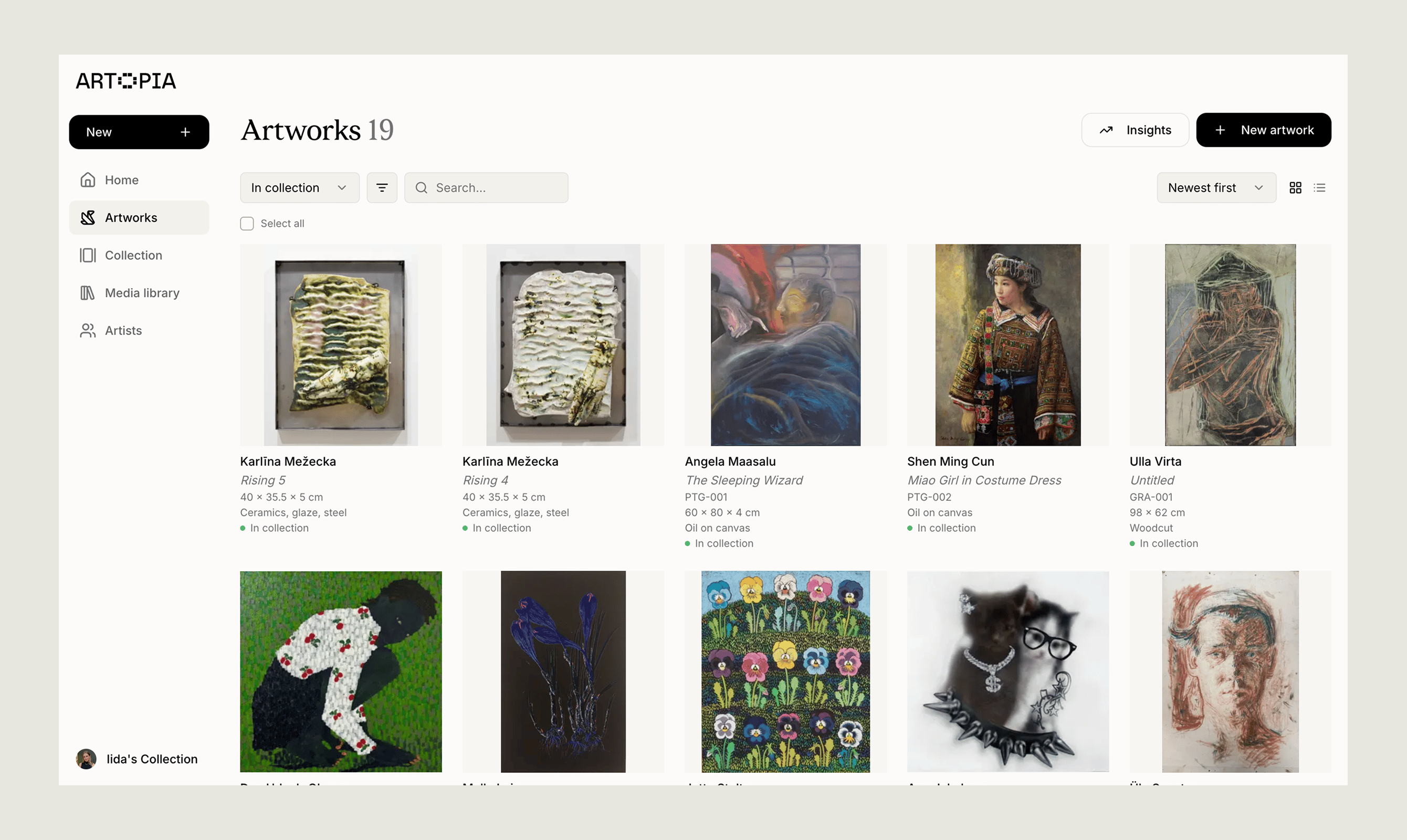
Artworks are private by default. Only you can see them until you choose to make your collection public. See Public collection for how sharing works.
Browse your artworks
The Artworks page shows every piece in your active collection. At the top of the page you can toggle between a visual grid and a detail-rich list, Artopia remembers your choice for next time. From the grid or list you can:- Filter by scope (all, in collection, archived), tags (including no tags), artist, status, location, series, size (S/M/L or exact dimensions), whether documents like invoices or certificates are attached, and inventory prefix
- Search across title, artist, tags, and series
- Sort by newest, oldest, artist, title, inventory number, or acquisition date
- Open the Summary panel to get totals for whatever you’ve filtered to, count, acquisition-year breakdown, currency totals, top artists, and document coverage
Open an artwork record
Clicking any artwork opens its record, the full page that holds everything you know about that piece: images, documents, dimensions, medium, value history, provenance, condition, exhibitions, and notes. The left side shows the images, title, artist, and descriptive basics; the right side holds status, location, value, tags, series, exhibitions, extra notes, and documents. Most fields on the record are editable right on the page, no separate form needed. You can change status, location, value, tags, exhibitions, notes, images, and documents just by clicking on them. The full edit form is only for the descriptive basics like artist, title, dimensions, medium, and inventory number. From the record’s menu you can also:- Create a PDF using one of four presets, with the fields you last picked remembered per preset
- Transfer the artwork to another Artopia user by email
- Delete the artwork (with a confirmation step, no undo)
- Artwork records — the full walk-through of the record and every field
- Artwork records in the basics — plain-language intro to what each field means
- Creating PDFs
- Transfers
Add a new artwork
Add a new piece from New artwork in the sidebar, or from the + shortcut in the header. The form is short and forgiving, Artist is the only required field, and everything else is optional. You can save a bare-bones record now and come back to fill in details over time. A few things that make adding artworks easier:- The artist picker has an inline Add new artist shortcut, so you don’t have to leave the form to create one
- Inventory numbers auto-suggest the next free number for your chosen prefix
- Creation date accepts free text, so
1993,70s,Unknown, or a range all work - New-artwork forms save a draft for 7 days, in case you close the tab before saving
- Adding an artwork — step-by-step walk-through
- Inventory numbering
- Artists